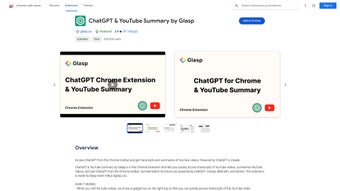

Download ChatGPT Chrome Extension – Free, Secure AI Assistant for Chrome
Overview
The ChatGPT Chrome Extension brings OpenAI’s powerful language model directly into your browser, turning any new tab into an instant AI assistant. Designed for professionals, students, and everyday internet users, this free extension eliminates the need to switch between tabs or open separate web pages to interact with ChatGPT. By clicking the extension icon, a dedicated tab opens where you can type questions, request drafts, brainstorm ideas, or troubleshoot technical problems, receiving responses in seconds.
Since its last major update in January 2021, the extension now opens in a new tab to comply with OpenAI’s security policies, ensuring that your conversations remain encrypted and isolated from other browser activities. With over 100 000 active users—primarily in the United States—the tool has earned praise for its speed, simplicity, and respect for privacy; the developer explicitly states that no usage data is collected beyond what is required to communicate with the OpenAI API. The source code is openly hosted on GitHub, inviting developers to audit, fork, or contribute enhancements, which further reinforces trust and transparency.
Whether you need quick research snippets, code explanations, or creative writing prompts, the ChatGPT Chrome Extension streamlines the workflow, letting you stay focused without leaving the browser environment.
Key Features & Benefits
- Instant Access from the Toolbar – Launch ChatGPT with a single click, no need to navigate to external sites.
- New‑Tab Interface – Dedicated tab isolates AI interactions, preserving browser performance and security.
- Free to Use – No subscription fees; the extension leverages your existing OpenAI API access.
- Open‑Source Transparency – Full source code available on GitHub for community review and contributions.
- Cross‑Platform Compatibility – Works on any operating system that supports Google Chrome (Windows, macOS, Linux, Chrome OS).
- Privacy‑First Design – No personal data is stored; requests are sent directly to OpenAI’s servers over HTTPS.
- Customizable Prompt Settings – Adjust system prompts or temperature settings via the extension’s options page.
- Lightweight & Fast – Minimal impact on browser memory, ensuring smooth multitasking.
- Regular Updates – Automated updates via the Chrome Web Store keep the extension current with API changes.
- Multi‑Language Support – Interact with ChatGPT in dozens of languages, making it a global productivity tool.
Beyond the checklist, the extension’s real value shines in everyday scenarios. For writers, it can generate outlines, suggest synonyms, or proofread drafts without opening a separate AI website. Developers benefit from quick code snippets, debugging advice, or explanations of complex algorithms.
Marketers can draft ad copy, brainstorm campaign ideas, or get instant SEO recommendations. The seamless integration means you stay in the flow of work, reducing context switching and boosting overall efficiency. Because the extension is free, there’s no financial barrier to trial, and the open‑source nature assures tech‑savvy users that the code respects security best practices.
In short, the ChatGPT Chrome Extension transforms a regular browsing session into an intelligent, assisted experience.
Installation, Setup & Compatibility
Getting started with the ChatGPT Chrome Extension is straightforward and requires only a few minutes. Follow these steps to install, configure, and begin using the tool:
Step‑by‑Step Installation
- Open Google Chrome and navigate to the Chrome Web Store listing for the ChatGPT Chrome Extension.
- Click the Add to Chrome button and confirm the installation prompt.
- Once installed, a small ChatGPT icon appears to the right of the address bar.
- Click the icon; a new tab titled “ChatGPT” will open, prompting you to log in with your OpenAI credentials.
- Enter your API key (if required) or sign in using your OpenAI account. The extension stores the key locally and never transmits it elsewhere.
Configuration Options
After logging in, you can access the options page by right‑clicking the extension icon and selecting Options. Here you can:
- Set the default model (e.g., GPT‑3.5, GPT‑4) based on your subscription.
- Adjust the temperature and max token limits for more creative or concise responses.
- Toggle “Open in new tab” behavior (recommended for security compliance).
- Enable dark mode to match Chrome’s theme.
Operating System Compatibility
The extension runs on any device that supports the Google Chrome browser, including:
- Windows 10/11
- macOS Big Sur and later
- Linux distributions with Chrome or Chromium
- Chrome OS (Chromebooks)
- Android devices using Chrome (via Chrome’s extension support in newer versions)
- iOS devices (limited functionality; the extension works best on desktop browsers)
Because the extension is browser‑based, it inherits Chrome’s regular update cycle, ensuring compatibility with the latest security patches and web standards. If you encounter any issues, the GitHub repository provides a detailed troubleshooting guide, and the developer is responsive to community bug reports.
Pros and Cons
Advantages
- Speedy Access – Instantly launch ChatGPT without leaving the current workflow.
- Zero Cost – Completely free for anyone with an OpenAI account.
- Privacy‑Centric – No data collection beyond the necessary API calls.
- Open Source – Transparent codebase encourages trust and community contributions.
- Lightweight – Minimal impact on system resources, even with multiple tabs open.
- Customizable – Adjustable model settings allow fine‑tuning of response style.
- Cross‑Platform – Works on Windows, macOS, Linux, and Chrome OS.
Drawbacks
- Dependency on OpenAI API – Requires a valid API key or OpenAI login; free tier limits may apply.
- Limited Offline Functionality – No local AI model; internet connection is mandatory.
- Chrome‑Only – Not available for browsers like Firefox or Safari without a separate wrapper.
- Basic UI – The interface is functional but lacks advanced formatting tools found in dedicated AI platforms.
- Potential Rate Limits – High‑frequency queries may hit OpenAI’s rate limits, causing temporary delays.
Overall, the ChatGPT Chrome Extension delivers on its promise of quick, secure AI assistance directly within the browser. Its open‑source nature and privacy‑first approach set it apart from many competing tools, though users should be aware of API usage limits. Ideal for anyone who spends most of their day in Chrome and needs a reliable AI companion.
Frequently Asked Questions
Is the ChatGPT Chrome Extension really free?
Yes, the extension itself is free to download and use. However, you still need an OpenAI account, and the free tier of the OpenAI API may have usage limits. If you exceed those limits, you may need to upgrade your OpenAI plan.
Does the extension store any of my conversations?
No. The extension forwards your prompts directly to OpenAI’s servers over a secure HTTPS connection and does not retain any data locally. The developer’s privacy policy explicitly states that no chat history is saved beyond the active session.
Can I use the extension on a Mac?
Absolutely. The extension runs on any operating system that supports Google Chrome, including macOS. Simply install Chrome, add the extension from the Web Store, and you’re ready to go.
What should I do if the extension stops responding?
First, check your internet connection and ensure your OpenAI API key (if used) is still valid. Then, try reloading the ChatGPT tab or disabling and re‑enabling the extension from Chrome’s extensions page. If problems persist, consult the GitHub issues page for known bugs or contact the developer.
Is there a way to customize the AI’s response style?
Yes. In the extension’s options page you can adjust the temperature, max tokens, and even select a different model (e.g., GPT‑3.5 vs. GPT‑4). These settings let you favor concise answers or more creative, verbose outputs depending on your needs.
Conclusion & Call to Action
The ChatGPT Chrome Extension stands out as a lightweight, privacy‑focused gateway to OpenAI’s conversational AI, right from your browser’s toolbar. Its open‑source nature, zero‑cost model, and seamless integration make it an attractive choice for anyone looking to boost productivity without juggling multiple windows or compromising on security. While it does rely on an active internet connection and the limits of the OpenAI API, the benefits of instant, context‑aware assistance far outweigh these minor constraints for most users. If you spend a significant portion of your day in Chrome—whether drafting emails, writing code, researching topics, or brainstorming ideas—installing this extension can shave minutes, if not hours, off your workflow each week. Download the ChatGPT Chrome Extension now and experience a smarter, faster browsing experience today.



.png)



